 WristTalk
Walkie-talkie for Apple Watch
Press, talk, and they hear it.
WristTalk lets two Apple Watches talk to each other with one button. Hold it, say your message, and it plays on the other watch. There is no call to make, nothing to type and no account to create.
Apple Watch only.
The gap
Apple dropped Walkie-Talkie. The need did not go away.
Walkie-Talkie is gone from watchOS 27, which Apple released in September 2026 (MacRumors report). If you used it to call the kids in for dinner, check in with a partner at work or keep in touch on a walk, there is no built-in replacement.
Calls interrupt
A phone call makes the other person stop what they are doing. A short voice message does not.
Typing is slow
Dictating a text means checking it and sending it. A voice message takes only as long as saying it.
Chat apps need setup
Most want an account, contacts and a phone. WristTalk runs on the watch and pairs with a six-digit code.
How it works
Pair once. Talk any time.
Pair with a code
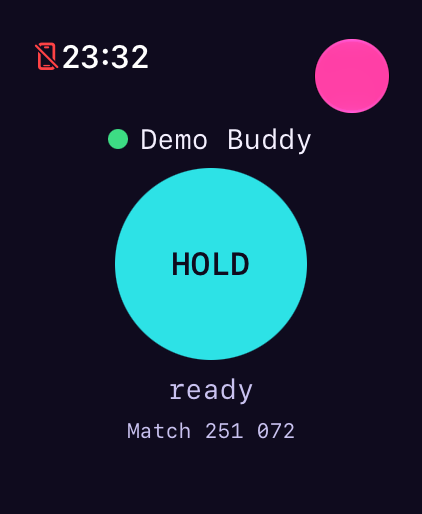
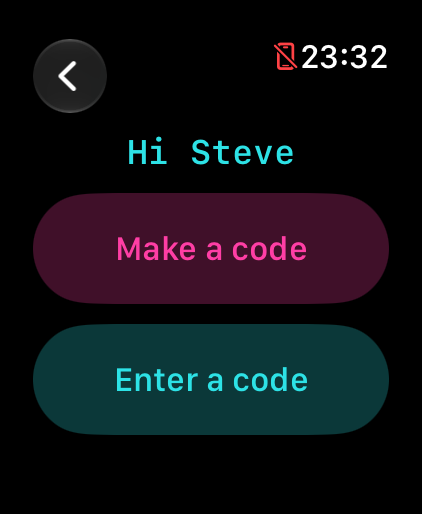
One watch makes a six-digit code and the other types it in within five minutes. No account is needed.
Hold and talk
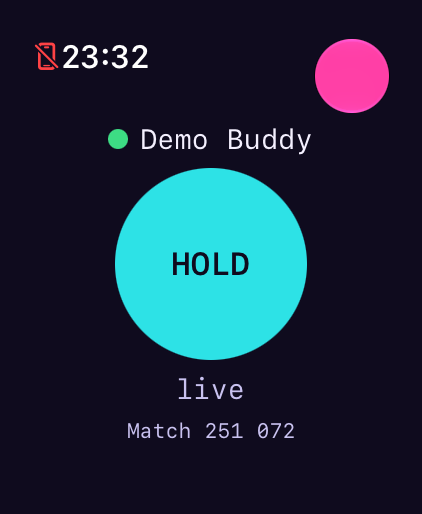
Hold the big button and talk. If both watches are online with the app open, they hear you as you speak. Otherwise your message is sent as a clip.
They hear it
The other watch gets an alert and plays the clip. You can see whether it was saved, sent, delivered or played.
Watch
See it in use
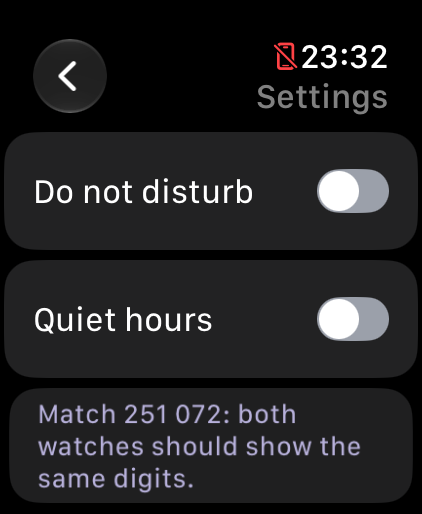
Silent screen recording: pairing, talking and settings on an Apple Watch Ultra.
Built for trust
Only the two watches can hear it
End-to-end
Messages are encrypted on your watch before they are sent. Our server stores only scrambled data and cannot play it.
No account
No email address, phone number or contacts. You pair with a code.
Deleted after playing
Messages are deleted once played, and within 24 hours at the latest. Unpairing deletes the pair from the server straight away.
Read the full privacy policy.
FAQ
Questions, answered
Is this Apple's Walkie-Talkie?
No. WristTalk is an independent app and is not made by Apple. It does the same job and works on watchOS 27, where Apple's app has been removed.
Which watches does it work on?
Apple Watches running watchOS 10 or later. It has been tested on an Apple Watch Ultra 2 and a Series 9. You and the other person each need one.
Do I need an iPhone?
You install it through your iPhone's Watch app like any watch app. After that it runs on the watch itself, over Wi-Fi, cellular or your iPhone's connection.
How do I pair two watches?
On one watch, type a name and tap "Make a code". On the other, tap "Enter a code" and type the six digits. The code lasts five minutes and works once. Both watches then show a "Match" number. Check that the digits are the same on both. If they are not, unpair and start again.
Can anyone else hear my messages?
No. Messages are end-to-end encrypted between the two watches, so the server only holds scrambled data. Compare the Match digits once after pairing to be sure.
What if the other person is offline?
Your message is saved on your watch and sent when a connection comes back. Nothing is lost.
Will it play when their wrist is down?
They get an alert, and the message plays when they open the app or tap the notification. watchOS limits what apps can do in the background, so we cannot promise it will play by itself. For reliable playback, keep the app open.
Can I pair with more than one person?
No. A pair is always two watches, which keeps it simple and private.
Can I silence it at night?
Yes. Quiet hours silence notifications and hold messages on the watch. Open the app and tap "Play waiting" when you are ready.
What does it cost?
The price is shown on the App Store page before you download.
How do I stop and delete my data?
Open Settings in WristTalk and tap Unpair. The pair and its messages are deleted from the server straight away, and the app returns to the first screen.
Is there an Android version?
No. WristTalk is for Apple Watch only.
Get it
Get it on your watch
Download WristTalk from the App Store, then pair with someone who has done the same. You each need an Apple Watch.
Need help? Visit support.